These companies use Descript. Not bad!
With Descript’s AI video, you can create bespoke B-roll, whole scenes, avatars, voice clones, and loads more. It’s good enough to use as-is (for real) but also easy to edit and adjust—because it’s built right into Descript.
These companies use Descript. Not bad!















Create more video without setting up to record or settling for generic stock. With end-to-end AI features and intuitive editing and design, Descript makes it easy to create more content with generated video.

Mix generated video with your own footage. Edit everything the same seamless way in Descript, so you don’t have to change how you work just because you used AI.

Don’t feel like going on camera? Fake it with an extremely realistic, fully customizable avatar. Choose from our gallery or create one, then style it your way with a few clicks.

Use AI voices for avatars or voiceovers that sound human, with realistic emotion and inflection, and run on the latest models. Or clone your own voice to avoid recording.
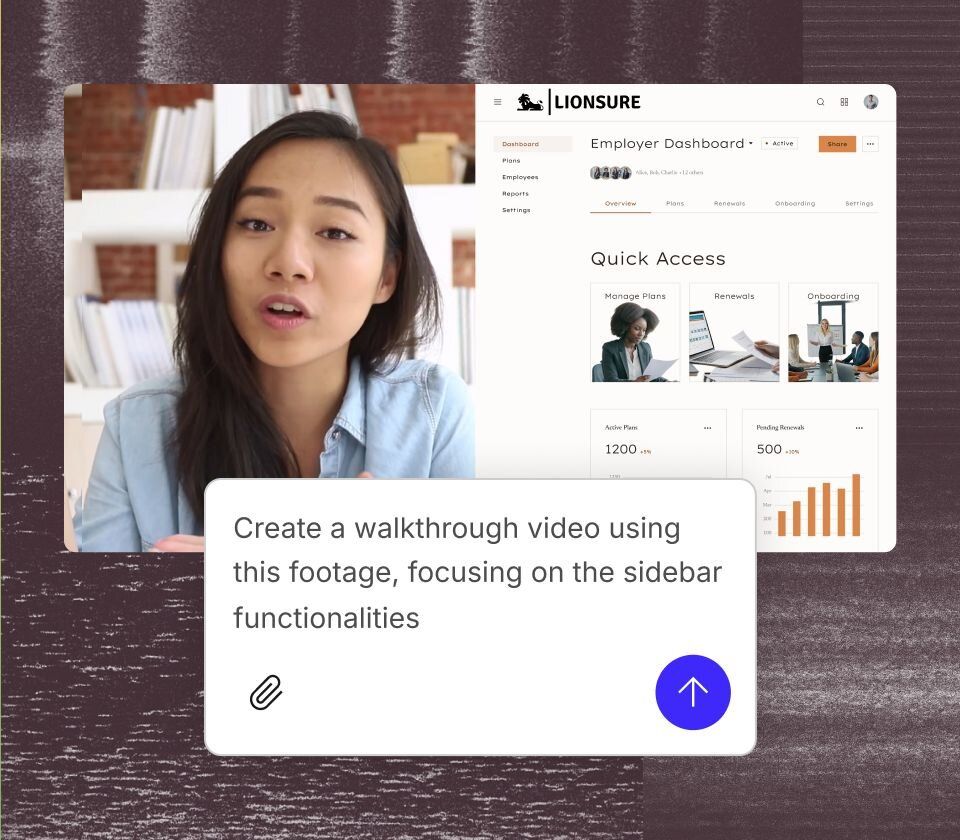
Go from prompt to video in seconds. Descript’s AI video maker uses generated images to create engaging video content—not nightmarish AI slop.
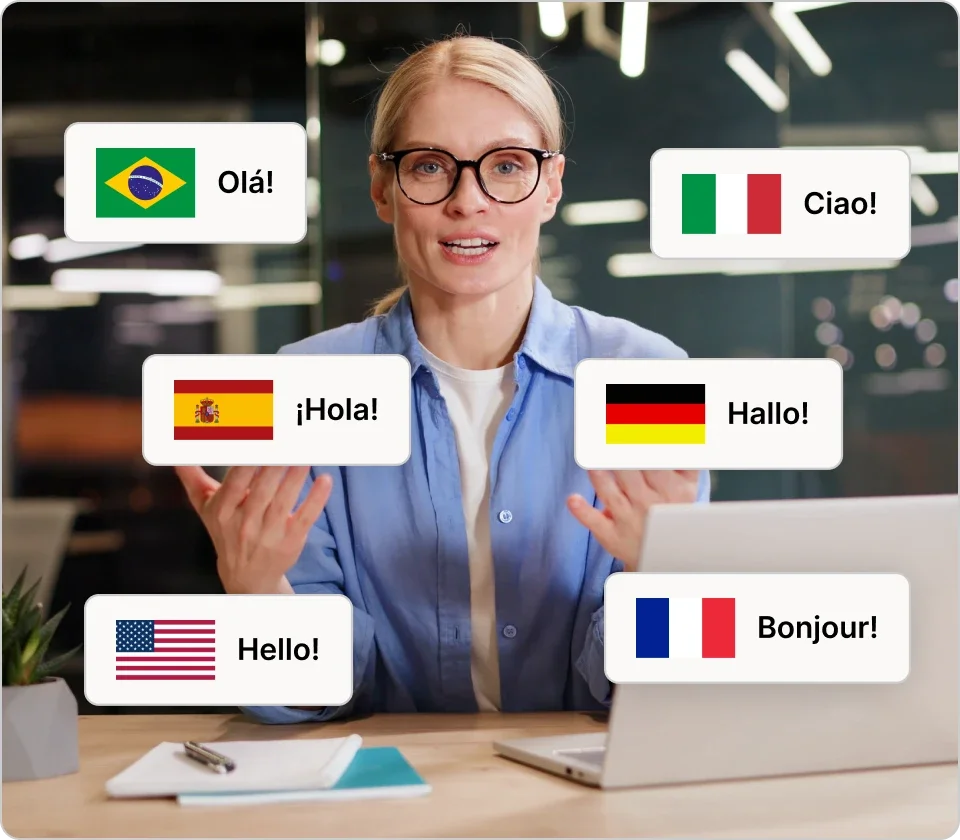
Descript’s AI can translate one video or a whole batch in minutes. Add captions instantly, then dub your audio in 20+ languages with our realistic AI voices.
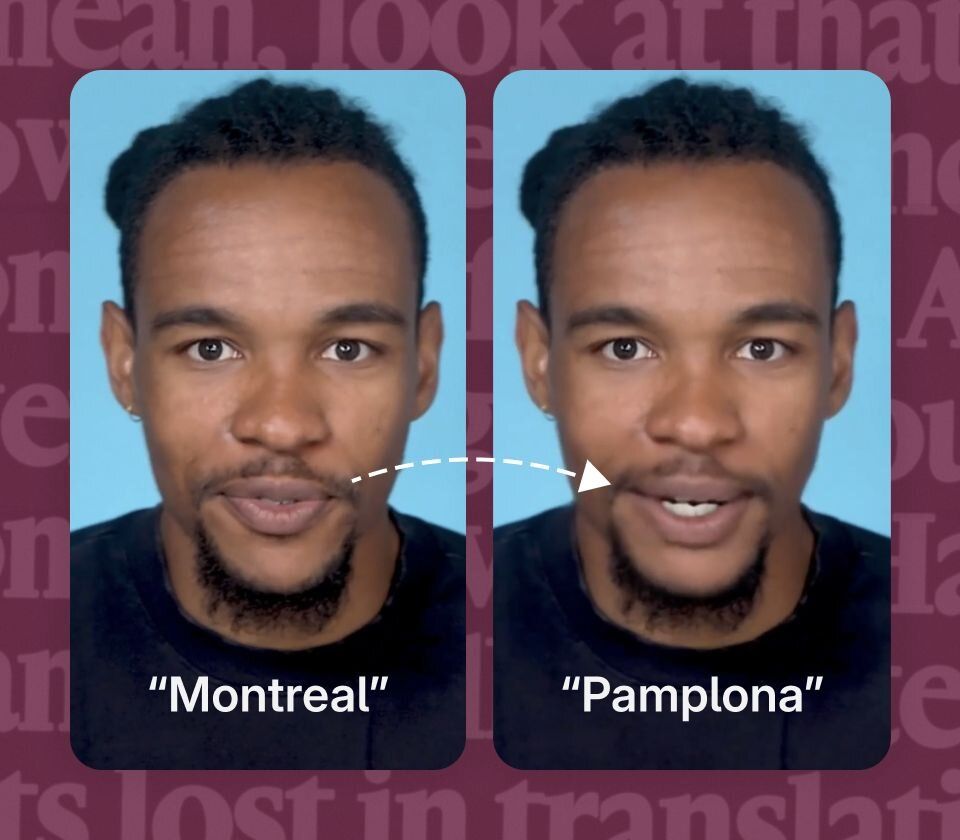
Said a name wrong? Dog woofed during recording? Just type what you wanted to say. Regenerate will clone your voice and change your mouth movements.
Never edit alone
Underlord is your AI co-editor. Under your direction it can create a video or edit yours. It can give feedback and make suggestions. And it’s tireless, so you can keep pushing until you’re satisfied.
Descript is always up to date with the latest AI models, so you get the best without lifting a finger. But when you need more control, just choose the best model for your project.
Everybody’s talking about Veo3.1 for a reason. Not only does its video generation look surprisingly real, but it also creates audio to match. And it’s already in Descript.
There are a ton of image-generation models out there, with different strengths and weaknesses—Descript puts a handful at your fingertips. That includes Nano Banana, the best of the bunch.
Surely there’s one for you
$16
per person / month
Elevate your projects, watermark-free


10 media hours / month

400 AI credits / month

Export 1080p, watermark-free

Access to Underlord, our AI video co-editor

AI tools including Studio Sound, Remove Filler Words, Create Clips, and more

AI Speech with custom voice clones and video regenerate
$24
per person / month
Unlock advanced AI-powered creativity
30 media hours / month
800 AI credits / month
Export 4k, watermark-free
Full access to Underlord, our AI video co-editor and 20+ more AI tools

Generate video with the latest AI models

Unlimited access to royalty-free stock media library

Access to top ups for more media hours and AI credits
Best for Teams
$50
per person / month
Empower collaboration on your team
40 media hours / month
1500 AI credits / month

Team-wide access to Brand Studio

Translate and dub video in 30+ languages with proofread

Generate custom avatars from photo upload or text
Priority support (with SLA)
Access to top ups for more media hours and AI credits
B-roll, voice clones, avatars, whole scenes, you name it. If you want to turn yourself into a centaur and explain the theory of relativity in a Yorkshire accent, the only thing stopping you is you.
Yes, and. While other platforms only allow you to generate content, Descript allows you to edit whatever you generate. And that doesn’t stop at AI generated media. You can also edit your recorded media alongside your AI media, all in the same video. Equal opportunity editing.
Sign up for a plan, explore our tutorials, and dream something up yourself. We also host regular demos if you want to see it to believe it.
Maybe you want to correct a word or fix audio of an existing recording. Just type it and Regenerate will clone your voice and change your mouth movement to match.
Let’s just say you’ll never have to search, “woman laughing alone with salad” again.